
How to Set Up Missed Call Text Back Automation in Go High Level (Step-by-Step Guide)
Ready-to-Use Article Templates for Your GHL Agency
Save time and create content faster with our professionally crafted article templates—designed to engage and convert.
Introduction
Did you know that 80% of business calls go unanswered? Each missed call can mean a missed opportunity to capture a lead, book an appointment, or close a sale. This is where Missed Call Text Back Automation in Go High Level (GHL) comes in.
Instead of letting potential customers slip away, GHL allows you to instantly send an automated SMS whenever you miss a call. This not only keeps the conversation alive but also increases the chances of converting that lead into a paying customer

In this guide, we’ll walk you through: What Missed Call Text Back is and why it matters. How to set it up in Go High Level step by step .Best practices for personalization Real-world examples from agencies and SaaS businesses
What is Missed Call Text Back Automation?
Missed Call Text Back is an automation inside Go High Level that detects when someone calls your number but doesn’t get through. Instead of losing the lead, the system sends them a personalized SMS response, acknowledging their call and prompting them to take the next step.
Example: “Hi , sorry we missed your call! How can we help you today?”
This ensures the lead feels valued, gets an immediate response, and stays engaged with your business.
Why Agencies & SaaS Businesses Love It?
Never Lose a Lead: Every missed call is instantly followed up with a text.
Saves Time: Automates responses so your team doesn’t need to manually chase missed calls.
Boost Engagement: SMS has a 98% open rate compared to email.
Increase Conversions: Turning missed calls into booked appointments or salesf
Step-by-Step Setup in Go High Level
Step 1: Create a New Workflow
Log into your Go High Level account.
Navigate to Automations → Workflows → Create Workflow.
Step 2: Choose Trigger
Select Trigger → Phone Call Status.
Set condition: Missed Call.
Step 3: Add SMS Action
Click + Add Action → Send SMS.
Write your automated text: “Hi , sorry we missed your call. Can we call you back now or would you like to book a time here: [Insert Calendar Link].” (Pro Tip: Use your booking link here to directly convert them into an appointment.)
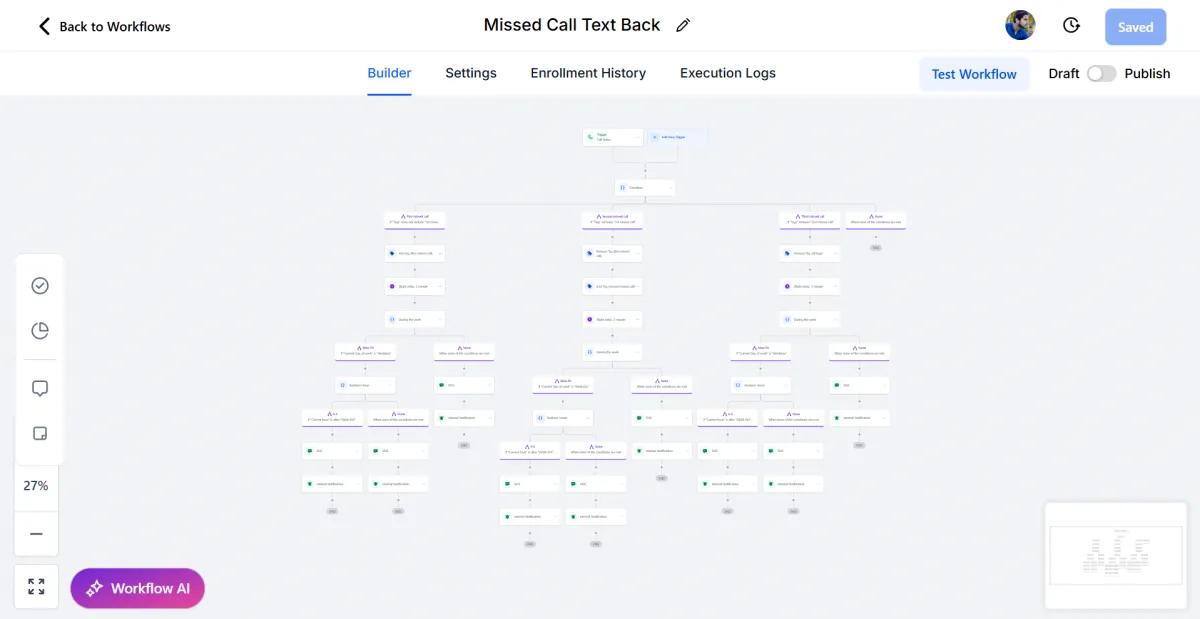
Step 4: Test Your Automation
Make a test call and hang up without answering. Check if the workflow sends the SMS instantly. Best Practices for Missed Call Text Back
✔ Personalize – Always use the lead’s first name.
✔ Add a Next Step – Include your booking link or a CTA.
✔ Keep it Short – 1–2 sentences is enough.
✔ Timing Matters – Send it instantly for maximum impact.
Real-World Use Cases
Agencies: Capture new client leads without needing a 24/7 receptionist.
SaaS Companies: Provide instant customer support and reduce churn.
Service Businesses (Plumbers, MedSpas, Real Estate): Turn missed calls into confirmed bookings.
Agencies, using this simple automation report 20–30% more conversions from inbound leads.
Pro Tip: Pair with AI Follow-Up
For even better results, combine Missed Call Text Back with AI follow-up sequences in Go High Level. That way, if the lead doesn’t reply, the system sends reminders and nurtures them until they book.
Conclusion
Missed calls no longer have to mean missed opportunities. With Go High Level’s Missed Call Text Back automation, you can respond instantly, build trust, and increase conversions—without lifting a finger.
Or, if you’re just getting started with GHL, you can try Go High Level here (affiliate link).
Ready to set this up for your agency or SaaS business?
Book a Free Strategy Call with HL Assistly
Service Businesses (Plumbers, MedSpas, Real Estate): Turn missed calls into confirmed bookings.
Agencies, using this simple automation report 20–30% more conversions from inbound leads.
Or, if you’re just getting started with GHL, you can try Go High Level here.
FAQS
What is Missed Call Text Back in Go High Level?
Missed Call Text Back is an automation that instantly sends a personalized SMS to anyone who calls your business but doesn’t get through. It keeps the conversation alive and ensures you never lose a potential lead.
Will this work for service businesses like MedSpas, Plumbers, or Real Estate?
Absolutely! Service businesses love it because it turns missed calls into booked appointments. Instead of losing a lead, your system follows up automatically—24/7.
Can I customize the automated text message?
Yes! You can fully personalize the message with the lead’s first name, your calendar booking link, or even a special offer. This makes your response feel authentic and increases the chance of conversion.
Do I need to be tech-savvy to set this up in GHL?
Not at all. Setting up Missed Call Text Back is simple—just create a workflow, set the trigger to "Missed Call," and add an SMS action. Even beginners can do it in minutes, and advanced users can combine it with AI follow-up for maximum results.
HL ASSISTLY
Quick Links
Useful Links


HL ASSISTLY
Quick Links
Useful Links